TradeAutomated
A full Windows-native trading platform that lets users design their own strategies and executes futures trades on TopStep 24/7, distributed as a one-click installer so non-technical users can run it like any other app.
- Role
- Solo engineer
- Timeline
- 2025 to present
- Status
- Shipped & live
- Users
- Non-technical friends
The problem
Prop-firm futures accounts demand constant attention. Setups appear on the 1-minute chart, get invalidated in seconds, and the trader has to be glued to the screen to catch them. I wanted a system that could watch the market for me, run strategies I’d designed, and place trades the instant the conditions hit. I also wanted to hand the same thing to a few friends without forcing them to install Python or touch a terminal.
The solution
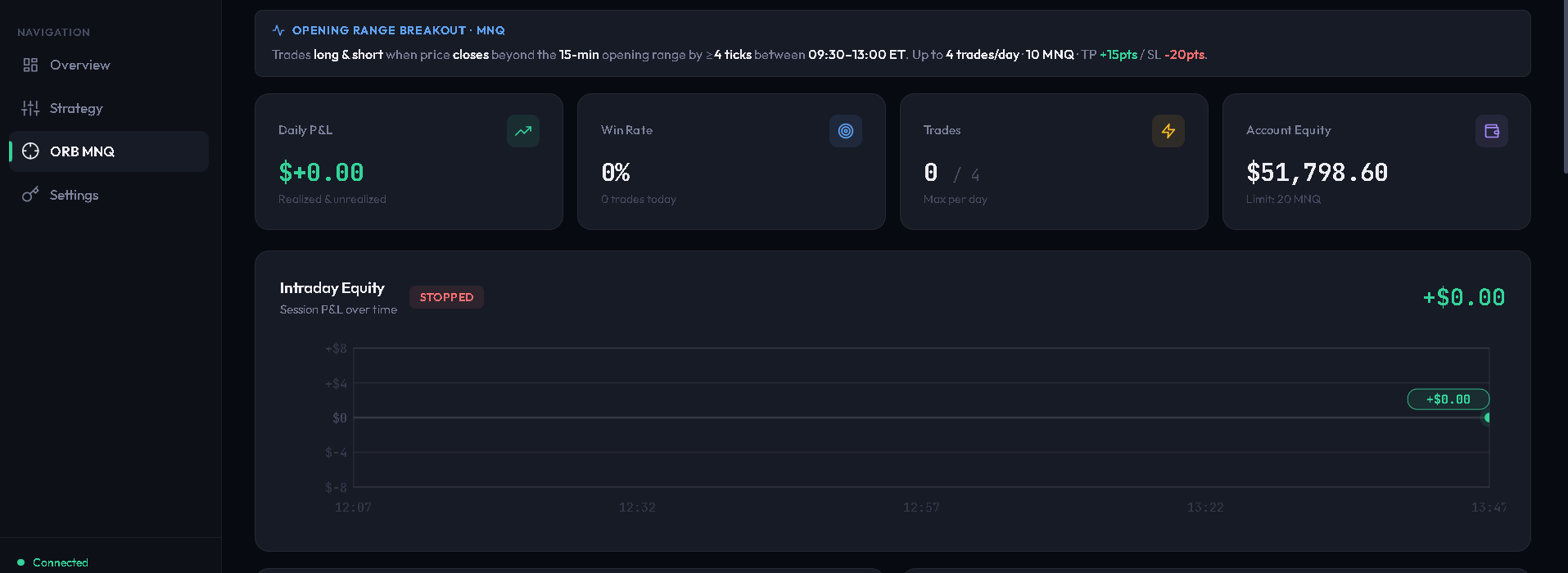
TradeAutomated is a single .exe installer that friends double-click and run like any other Windows app. Under the hood it spins up a local FastAPI server and a React dashboard that lives in their browser. They log into TopStep once, pick a strategy, tune risk parameters, hit Start, and the bot takes over. There’s no cloud, no server fees, no shared state. Everything runs on their machine, their credentials stay encrypted on their disk, and their trades hit TopStep directly.
How it works
The whole system is three pieces running on the user’s own machine, talking over localhost.
System tray launcher
A pystray-driven Windows tray icon starts a uvicorn server in a daemon thread, auto-opens the browser, and handles Restart / Quit. A single-instance guard prevents double-launches.
FastAPI backend
~1,500 lines of Python managing bot state, TopStep API integration, strategy detection, order execution, trade history, and a WebSocket stream pushing live updates to the UI.
React dashboard
A single-page app served by the Python server: strategy selection, live P&L, open positions, trade log, emergency close, and an encrypted credential modal on first launch.
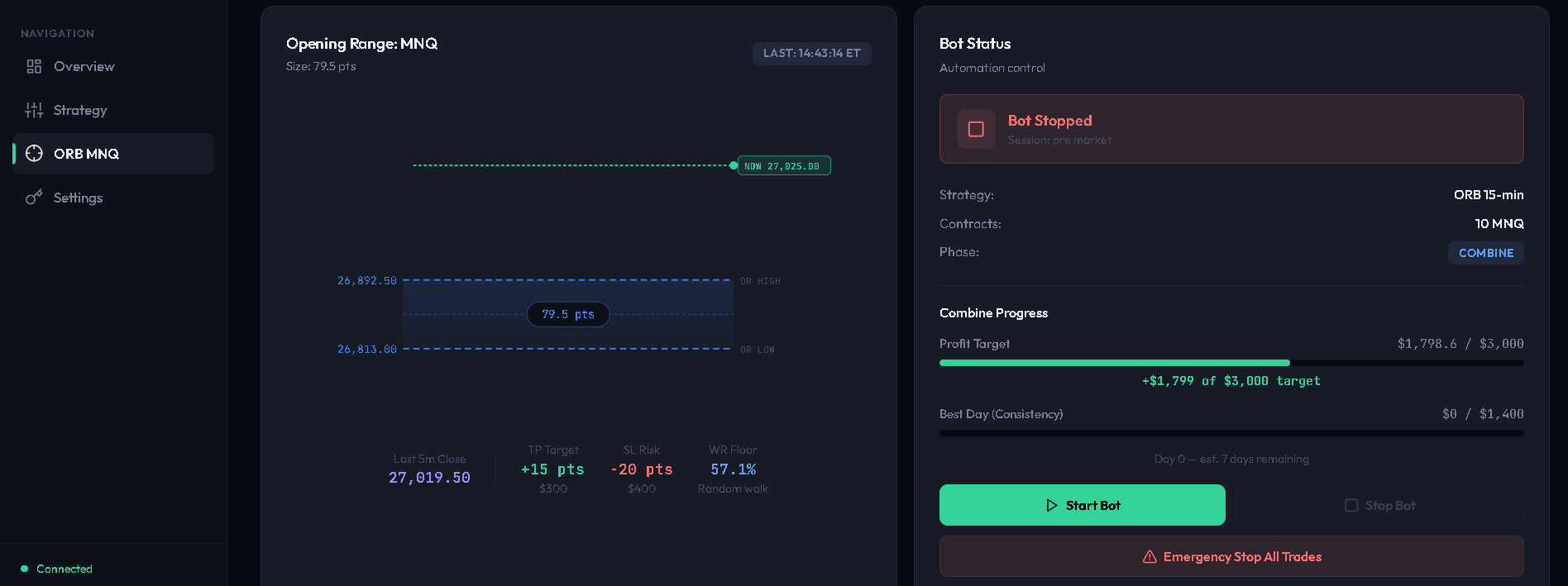
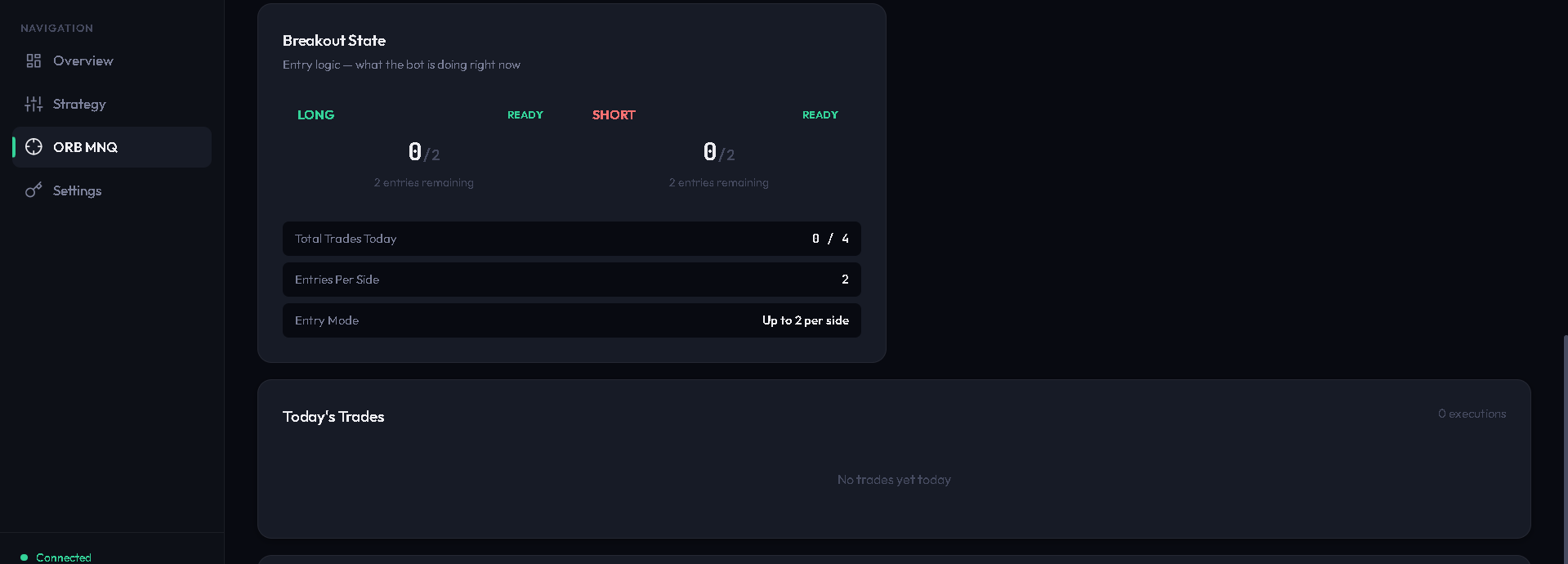
Packaged with PyInstaller and wrapped in an Inno Setup installer, so what ships to a friend is a ~60 MB TradeAutomated-Setup-v1.1.3.exe that installs cleanly, runs offline, and upgrades in place without losing their trade history or encrypted credentials.
The strategies
Each strategy lives as a self-contained detector module. The main loop calls the active detector once per bar and gets back a structured signal (direction, trigger price, SL / TP in ticks) or nothing. Swapping strategies is a one-line change on the dashboard.
Fair Value Gap
Detects imbalance zones where price moved too fast to fill. Waits for a retrace into the zone and enters in the direction of the gap.
VWAP Reclaim
Tracks session-anchored VWAP and fires on confirmed reclaims or rejections. Mean-reversion logic tuned for futures session behavior.
Session Breakout
Builds session high/low levels (Asia, London, NY) and enters on a clean break with volume confirmation. Best on trend days.
Swing Structure
Classical swing-point detection. Maps recent pivots and triggers continuation entries when structure breaks in the expected direction.
What it’s built with
- Python 3.11
- FastAPI + uvicorn
- WebSockets (live dashboard)
- TopStep REST + streaming API
- NumPy (bar aggregation)
- React (in-browser Babel)
- Tailwind-style utility CSS
- Chart.js for equity curves
- Served statically by FastAPI
- PyInstaller (onefile build)
- Inno Setup installer
- pystray tray integration
- Per-user %LOCALAPPDATA% data dir
- Windows DPAPI credential encryption
- Server bound to localhost only (never exposed to the network)
- Per-user OS-level data isolation
- Credentials never leave the machine
Shipping to non-technical users
The hardest part wasn’t the trading logic. It was making the whole thing invisible. No Python install. No terminal. No config files. A friend double-clicks the installer, clicks through SmartScreen, and ends up with a tray icon and a browser tab open to their dashboard. First launch pops a credential modal, they paste their TopStep API key, and the bot polling loop picks it up without a restart.
Upgrades are a re-run of the installer over the top. Their encrypted credentials and trade history live in %LOCALAPPDATA%\TradeAutomated\ and survive every rebuild. Multi-user on a shared PC just works: each Windows account has its own isolated data directory.
Where it is now
Running live on real TopStep accounts (mine plus a handful of friends’) with the full distribution pipeline as a 30-second turnaround: version bump, PyInstaller build, Inno Setup, uploaded installer. Concrete performance numbers will land on this page as the live run accumulates enough trades to be meaningful. Until then the interesting story is the system itself, not the P&L.
Want to see it in action or talk shop?
Happy to demo the dashboard live or dive into the internals over a call.
Get in touch